PHP still powers a huge slice of the web — WordPress, Laravel, Symfony, Magento, and a mountain of custom CMSes. If you're adding AI features to a PHP app, you don't need a new stack or a rewrite. EzAI exposes an Anthropic-compatible endpoint, so anything that can send a POST request can talk to Claude, GPT, Gemini, and Grok through a single URL.
This guide shows three ways to call EzAI from PHP: raw cURL, Guzzle, and Laravel's HTTP client — plus streaming with Server-Sent Events.
Setup
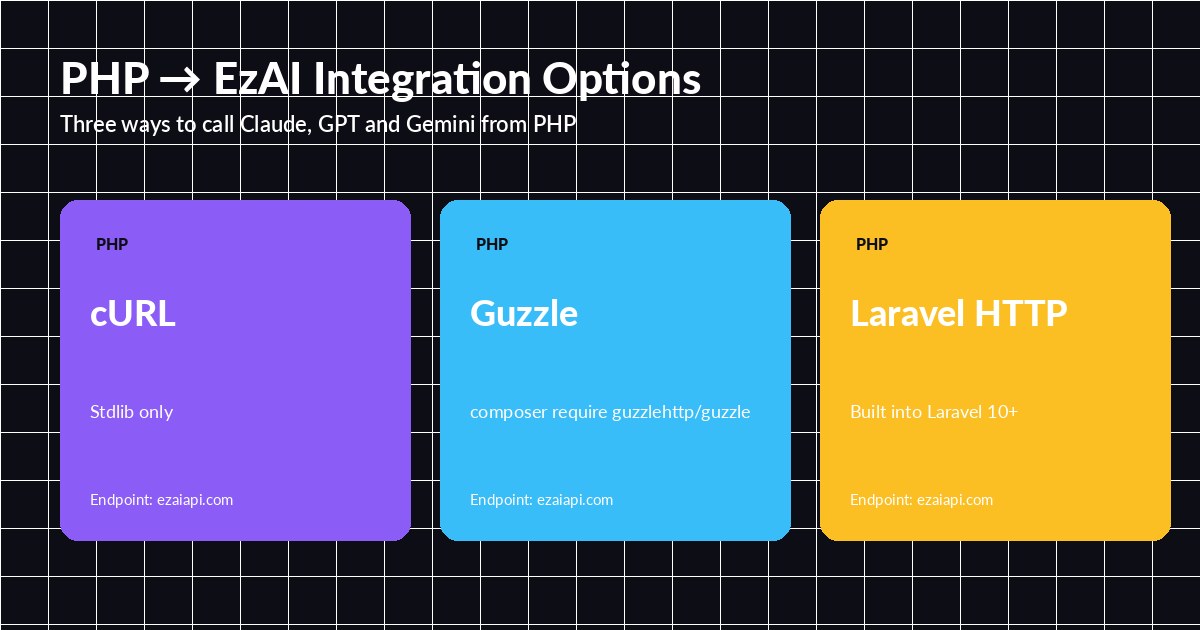
Pick the client that fits your stack — all three hit the same EzAI endpoint
First, grab an API key from the dashboard. Every new account ships with 15 free credits, which is plenty for testing. Store the key in your .env:
EZAI_API_KEY=sk-your-key-here
EZAI_BASE_URL=https://ezaiapi.com
The endpoint https://ezaiapi.com/v1/messages speaks native Anthropic protocol. Use the same request body format as the official Claude API — any PHP Anthropic library will work unchanged.
Option 1: Plain cURL (Zero Dependencies)
If you're on a small shared host or don't want Composer in the mix, stdlib cURL gets you there in 15 lines:
<?php
function ezai_chat(string $prompt, string $model = 'claude-sonnet-4-5'): string
{
    $ch = curl_init('https://ezaiapi.com/v1/messages');
    curl_setopt_array($ch, [
        CURLOPT_POST => true,
        CURLOPT_RETURNTRANSFER => true,
        CURLOPT_HTTPHEADER => [
            'x-api-key: ' . getenv('EZAI_API_KEY'),
            'anthropic-version: 2023-06-01',
            'content-type: application/json',
        ],
        CURLOPT_POSTFIELDS => json_encode([
            'model' => $model,
            'max_tokens' => 1024,
            'messages' => [['role' => 'user', 'content' => $prompt]],
        ]),
        CURLOPT_TIMEOUT => 60,
    ]);

    $response = curl_exec($ch);
    if ($response === false) {
        throw new RuntimeException(curl_error($ch));
    }
    curl_close($ch);

    $data = json_decode($response, true);
    return $data['content'][0]['text'] ?? '';
}

echo ezai_chat('Write a haiku about cURL.');
That's the whole integration. Swap claude-sonnet-4-5 for gpt-5, gemini-2.5-pro, or grok-4 and the same code calls a different provider. The response shape follows Anthropic's Messages API — see our docs for the field list.
Option 2: Guzzle
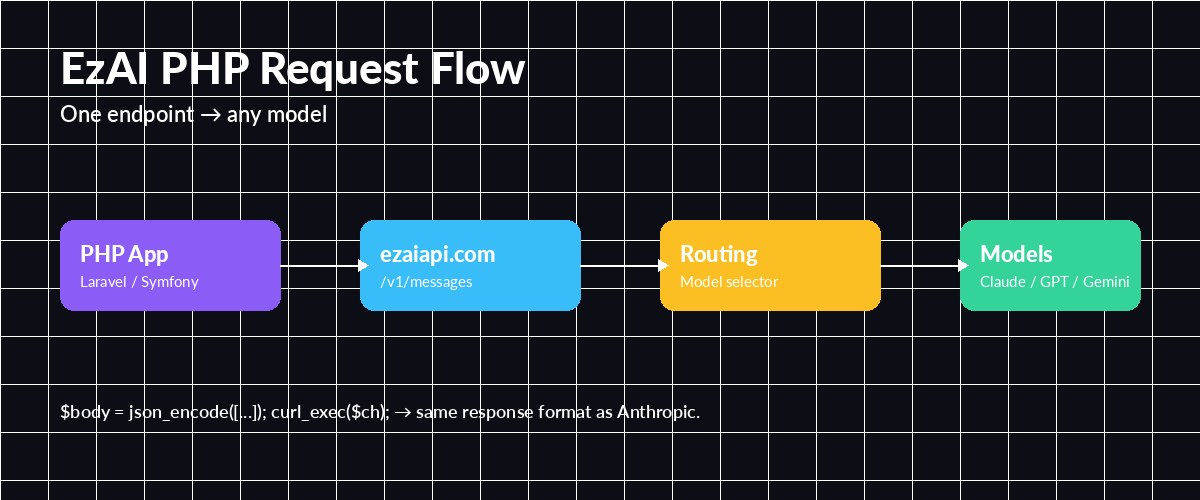
One endpoint, any model — EzAI routes based on the model field in your request
Guzzle gives you async, connection pooling, and cleaner error handling. Install it with Composer:
composer require guzzlehttp/guzzle<?php
use GuzzleHttp\Client;
$client = new Client([
'base_uri' => 'https://ezaiapi.com',
'headers' => [
'x-api-key' => $_ENV['EZAI_API_KEY'],
'anthropic-version' => '2023-06-01',
],
'timeout' => 60,
]);
$response = $client->post('/v1/messages', [
'json' => [
'model' => 'claude-sonnet-4-5',
'max_tokens' => 2048,
'system' => 'You are a terse senior PHP developer.',
'messages' => [
['role' => 'user', 'content' => 'Refactor this loop: for($i=0;$i<count($a);$i++){...}'],
],
],
]);
$data = json_decode($response->getBody(), true);
echo $data['content'][0]['text'];Guzzle also supports $client->postAsync() which returns a Promise — useful when you're batching multiple prompts in parallel. See our post on parallel model requests for the pattern.
Option 3: Laravel HTTP Client
On Laravel 10+ the facade reads cleanest. Drop this into an action or service class:
<?php
namespace App\Services;

use Illuminate\Support\Facades\Http;

class Ezai
{
    public function ask(string $prompt, string $model = 'claude-sonnet-4-5'): string
    {
        $response = Http::withHeaders([
                'x-api-key' => config('services.ezai.key'),
                'anthropic-version' => '2023-06-01',
            ])
            ->timeout(60)
            ->retry(3, 200)
            ->post('https://ezaiapi.com/v1/messages', [
                'model' => $model,
                'max_tokens' => 1024,
                'messages' => [['role' => 'user', 'content' => $prompt]],
            ])
            ->throw();

        return $response->json('content.0.text');
    }
}
retry(3, 200) handles transient 429/5xx responses automatically — much safer than naked requests in production. Pair this with a queued job (ShouldQueue) for long generations so your web workers don't block.
Streaming Responses
Long completions feel snappier when you stream them. Set stream: true and read the SSE body incrementally. With cURL's CURLOPT_WRITEFUNCTION, it's a callback per chunk:
<?php
$ch = curl_init('https://ezaiapi.com/v1/messages');
curl_setopt_array($ch, [
    CURLOPT_POST => true,
    CURLOPT_HTTPHEADER => [
        'x-api-key: ' . getenv('EZAI_API_KEY'),
        'anthropic-version: 2023-06-01',
        'content-type: application/json',
    ],
    CURLOPT_POSTFIELDS => json_encode([
        'model' => 'claude-sonnet-4-5',
        'max_tokens' => 1024,
        'stream' => true,
        'messages' => [['role' => 'user', 'content' => 'Explain PSR-7 in 3 bullets.']],
    ]),
    CURLOPT_WRITEFUNCTION => function ($ch, $chunk) {
        foreach (explode("\n", $chunk) as $line) {
            if (str_starts_with($line, 'data: ')) {
                $event = json_decode(substr($line, 6), true);
                if (($event['type'] ?? '') === 'content_block_delta') {
                    echo $event['delta']['text'] ?? '';
                    flush();
                }
            }
        }
        return strlen($chunk);
    },
]);
curl_exec($ch);
curl_close($ch);
In Laravel, wrap this in a StreamedResponse and you've got a ChatGPT-style typing effect in your Blade view. We cover the full pattern in streaming AI responses.
OpenAI Format, Too
If you'd rather use the OpenAI-style openai-php/client SDK, EzAI also speaks that dialect at /v1/chat/completions. Point the SDK's base URL at EzAI and it works identically — no code changes beyond the URL. That's handy if you're migrating from OpenAI to Claude without wanting to rewrite your client layer.
Production Checklist
- Keep keys out of code. Use
.env+config/services.php— see securing API keys. - Set timeouts. 60 seconds for normal completions, 300+ for long extended-thinking calls.
- Retry on 429/5xx. Laravel's
->retry()or Guzzle's retry middleware handles it cleanly. - Queue heavy calls. Don't block PHP-FPM workers on 30-second completions; push to Redis/Horizon.
- Log token counts. The response includes
usage.input_tokensandusage.output_tokens— store them per user for cost attribution.
Wrapping Up
PHP doesn't need a dedicated SDK to talk to modern AI models. A single POST request to EzAI gives you Claude, GPT, Gemini, and Grok behind one key, with token tracking on the dashboard. Start with cURL for scripts, move to Guzzle or Laravel HTTP for apps, and turn on streaming when your prompts get long.
Already on another stack? Check our guides for Go, Ruby, and TypeScript.